
Appearance
Slack integration
Connect Slack to give Supersimple your team's full conversation context, and to trigger it right from Slack.
Slack as a data source
Ask something like "what's going on with this customer?" and Supersimple's enterprise search pulls in the relevant threads, including any Slack Connect channels you share with them. Debugging something? It might surface the thread where a teammate hit the same issue last week and posted the fix.
The same context also sharpens your data questions, since the discussion behind a number, a metric, or a data model often captures what it really means to your team.
Ask Supersimple from Slack
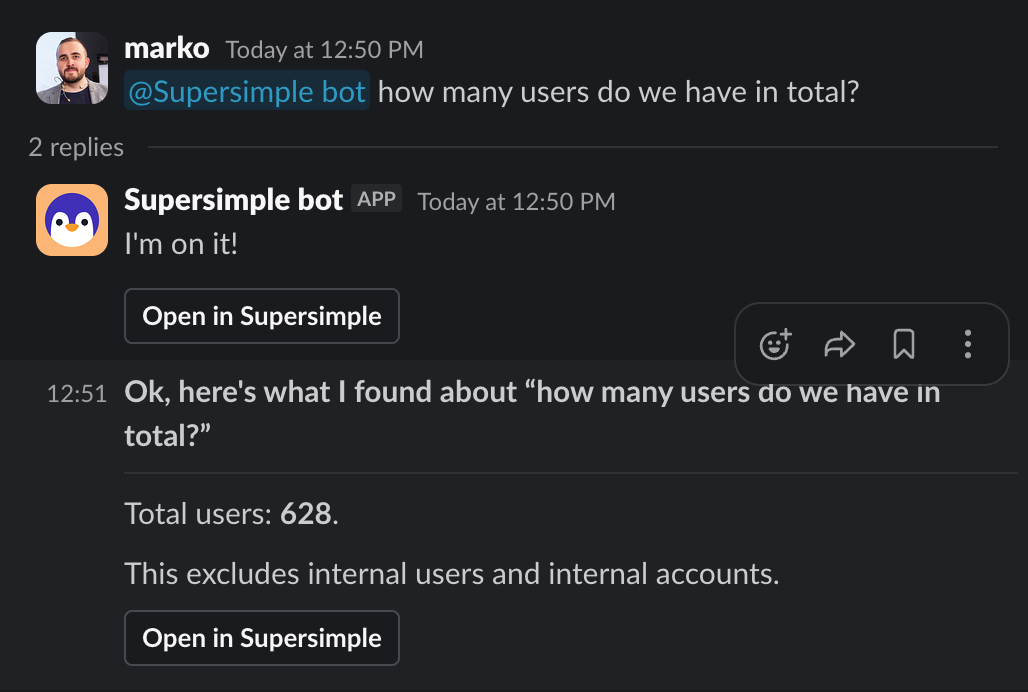
Tag @Supersimple in any channel it's in:
@Supersimple which customers churned last month and why?It reacts with 👀, answers in the thread, and adds an Open in Supersimple button for the full exploration. The answer appears wherever you asked, so in a public channel everyone there can see it. To keep a question private, DM the bot directly instead.
Permissions
Supersimple's AI answers using the permissions of the person asking, so you only ever see what you already have access to.
- Asking in Supersimple uses your own permissions.
- Asking from Slack is the same: when you tag
@Supersimple, it recognizes who you are and answers with exactly the access you'd have inside Supersimple, across every connected data source, not just Slack. For Slack itself, that means you only see messages from channels you belong to.
Because answers are scoped to the person asking, two people asking the same question may get different results.
Setup
- Connect the workspace: an admin goes to Account settings → Integrations, clicks Add integration → Slack, and authorizes the app.
- Invite the bot into channels: run
/invite @Supersimplein each channel you want indexed. The bot only ever reads channels it's been invited to.
Backfilling a channel's history can take a few hours. After that, new messages are indexed in real time.